
How to Improve Business Processes: 6 Steps and Key Frameworks
"Go improve our processes." Your manager hands you the task, and suddenly you're frozen at your desk, unsure where to even begin. That feeling makes complete sense. The scope is huge, there's no obvious right answer, and if you get it wrong, the whole team feels it. The pressure arrives long before any plan does.
Here's the good news: process improvement has a proven order to follow. Roll out tools at random or change steps on a hunch, and all you create is confusion. Follow the order, though, and almost anyone can move steadily toward real results.
This guide walks you through it all, in order: what process improvement actually means, the 6-step method, how to choose between frameworks like ECRS and PDCA, and the common mistakes that trip people up. By the end, you'll have a clear picture of exactly what to do at work tomorrow morning.
What you will learn
- What process improvement is, and how it differs from efficiency drives and DX
- A 6-step method that starts with mapping the current state
- The strengths of ECRS, PDCA, 5W1H, and QCD — and when to use each
- Four common failure patterns and how to avoid them
What Is Business Process Improvement?
Business process improvement is the practice of rethinking how work actually gets done — removing the waste, inconsistency, and overload that build up over time so the work delivers more.

The key point: this is not just cost cutting. The aim is a state where you deliver the same quality, with less effort, faster. Think of it less as gritting your teeth and pushing harder, and more as building a system that makes good results easy.
The goal is to improve QCD
Every process improvement effort comes down to lifting three things, known together as QCD: Quality, Cost, and Delivery (speed).
Everyday frustrations like "I want less overtime" or "I want to end key-person dependency" always trace back to one of these three. So decide up front which of the QCD axes you're targeting. That single choice keeps your effort from drifting halfway through.
How it differs from efficiency and DX
There are a lot of similar-sounding terms here, and it's easy to get them tangled. Let's sort them out once.
Efficiency means doing the same work faster and cheaper. DX (digital transformation) means using technology to change the shape of the work — or the business itself. Process improvement is the widest concept of the three, and it contains both. Picture efficiency and DX as tools that serve the larger goal of process improvement, and everything clicks into place.

Minami
Process improvement lead
Honestly, on the ground people use "efficiency," "DX," and "process improvement" interchangeably, and it all blurs together in my head...

Spark
DrillSpark consultant
Don't worry, the trick is simple. Picture "process improvement" as the biggest container, with "efficiency" and "DX" sitting inside it. Decide the goal first (process improvement), then pick the means (efficiency or DX) afterward. Get that order right and you're set!
Three benefits you can expect
- Higher productivity: less wasted work and waiting means the same team delivers more
- Lighter load on people: fewer overtime hours and less "only I can do this" pressure, which helps retention
- Stable quality and speed: standardized steps reduce person-to-person variation and mistakes
6 Steps to Improve a Business Process
Process improvement begins with truly understanding the current state, and finishes when a small change has been tested and made to stick.
Work through these six steps. There's nothing complicated here — you just follow them top to bottom.
Step 1: Define the goal in numbers
The first thing to do is set a goal you can measure with a number.
For example: "cut invoicing overtime by 10 hours a month," or "shorten the lead time to send a quote from 3 days to 1." With a concrete number, you can later judge clearly whether the change actually worked. Leave the goal vague, and you can't prioritize and you can't verify. That bit of effort up front pays off all the way to the end.
Step 2: Map the current process to make it visible (the most important step)
This is the step this guide most wants you to take to heart. Draw the target process from start to finish as a flowchart.
Who does what, in what order, and where do branches or rejections happen? Put it all on a single diagram, and everyone involved suddenly sees the same picture.
Why is this the most important step? Because if you debate fixes while the current state is invisible, decisions end up driven by whoever talks loudest. With a diagram, the discussion stands on facts instead. It can be rough at first. Just get the current (As-Is) flow onto one page.
Minami
Process improvement lead
Honestly, drawing out the current state feels like a chore... I feel like I already know the problems, so can't I just jump straight to fixes?
Spark
DrillSpark consultant
I totally get the urge! But here's the thing: what you "know" in your head and what the diagram shows almost always differ. Draw it and you'll think, "Wait, there's this much waiting time right here?" Slow down to speed up — get one page down first. Skip this and improvements usually wander off course.
Step 3: Surface the problems and prioritize
Once the flowchart exists, gather the people involved and look at it together. Mark up every spot that takes too long, gets sent back often, or only one person can handle.
The trick is to not decide by impression alone. Collect numbers too — volumes, time taken — so you can compare the size of each problem objectively.
Then sort the problems along two axes: size of impact and ease of doing. Start with whatever has big impact and is easy to tackle. Don't try to solve everything at once. That restraint is the single biggest reason teams keep going instead of burning out.
Step 4: Design countermeasures (in ECRS order)
The golden rule is to think through fixes in ECRS order, which we'll cover in detail later.
Start from "can we stop doing this at all?" (Eliminate). Leave "can we make it simpler?" (Simplify) for last. The common trap is jumping straight to buying a tool. But automating work you could have eliminated just makes the waste run faster. Keep the order.
Step 5: Pilot small and measure
Roll the change out as a trial, limited to one team or one specific task. Then measure the result against the numeric goal you set in Step 1.
If it doesn't work, just go back to Step 3 and reframe the problem. The biggest benefit of testing small is that failure barely hurts. It's far safer than rolling out company-wide and then failing.
Step 6: Standardize, roll out, and keep improving
Once the result holds up, fold the new steps into the flowchart and the manual to standardize them, then spread the change to other teams.
And don't stop there. Pick the next theme and keep the PDCA cycle turning. Repeat that, and process improvement shifts from a "special project" into something that's simply part of how the team works.
Put the whole 6-step flow on one diagram, and it looks like this.
4 Frameworks Worth Knowing
The word "framework" can make you tense up, as if it'll be hard. But all a framework really is, is a tool that tells you the order in which to think. That's it.
You don't have to use them all. Just pick the one that fits the phase you're in. 5W1H for analysis, ECRS for designing fixes, PDCA for running the effort, QCD for evaluation — memorize that mapping and you're already well equipped.
Let's look at the four side by side, then take each one in turn.
| Framework | What it does | Best for |
|---|---|---|
| ECRS | Consider Eliminate → Combine → Rearrange → Simplify, in that order | Generating fixes and cutting waste |
| PDCA | Turn the Plan → Do → Check → Act cycle | Managing execution and continuous improvement |
| 5W1H | Break work down by When/Where/Who/What/Why/How | Analyzing the current state and digging into problems |
| QCD | Evaluate by Quality, Cost, and Delivery | Choosing themes and measuring results |
ECRS: the order to think through fixes
ECRS lays out the order in which to consider countermeasures. It's arranged from biggest impact to smallest, so always start with the E at the front.
- Eliminate: can we drop the task entirely? Scrapping a report or a meeting has the biggest payoff
- Combine: can we merge tasks or meetings? For example, consolidating similar work
- Rearrange: can we swap the order or the owner? Such as changing the approval sequence or reassigning who does what
- Simplify: can we make it easier? Templates, or automation with a tool
Minami
Process improvement lead
My team spends two hours every week building the deck for our standing meeting. We should just templatize it (Simplify), right?
Spark
DrillSpark consultant
Hold on — remember the E first! "Do we even need that deck?" and "Could the meeting itself become an email?" come before anything else. Simplify is the last resort. Templatizing work you could have eliminated just leaves the waste neatly preserved.
PDCA: the core cycle that keeps improvement going
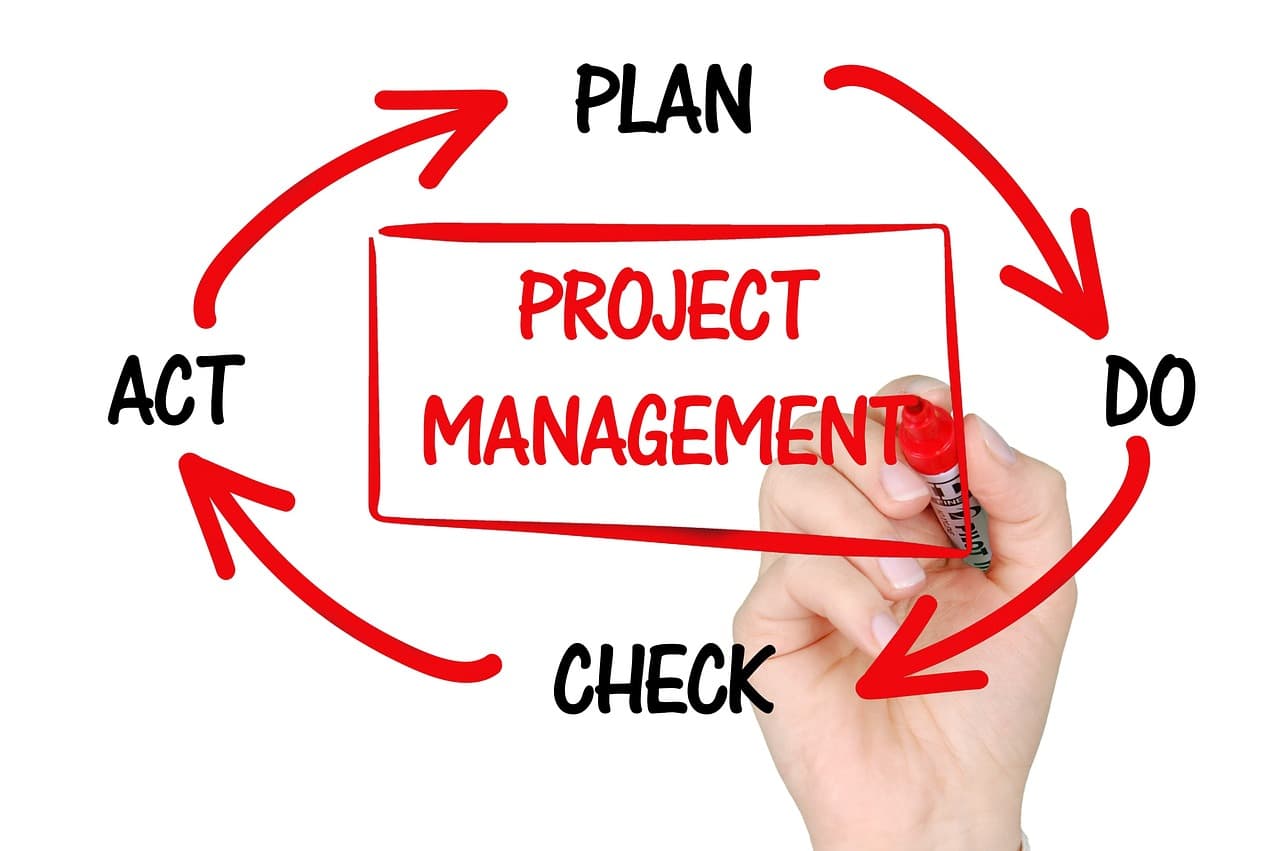
PDCA repeats Plan → Do → Check → Act. The 6 steps above are, in broad strokes, one lap of PDCA. The most common failure is skipping Check and letting the cycle run on autopilot — so decide your evaluation timing and metrics back in the planning stage.
5W1H: break problems down with no gaps
5W1H breaks work down through six questions: when, where, who, what, why, and how. The Why — "why are we even doing this task?" — is an especially powerful tool for finding work that has become a hollow ritual. Any task you can't give a reason for is a strong candidate for ECRS Eliminate.
QCD: three axes for evaluating impact
QCD works as an evaluation lens both for choosing themes and for measuring results. The thing to watch is that the three pull against each other. Cut cost alone, for instance, and quality can slip. When you evaluate a fix, always check its effect on all three axes.
The Key to Success: Mapping the Current State — 3 Tips
Of the six steps, the one that decides success or failure is Step 2: making the current state visible. Here are three tips for drawing a flowchart that actually leads to improvement. None of them are hard — a little intention changes the quality of the diagram dramatically.
Tip 1: Draw what really happens, not the ideal
It's tempting to draw the clean, by-the-manual procedure. But that's pointless. What you should draw is the procedure people actually follow on the ground.
"You're supposed to file a request, but everyone just handles it verbally" — that kind of raw reality is a goldmine for finding problems. Which is exactly why you can't skip talking to the people who actually do the work.
Tip 2: Don't skip rejections and exception paths
Waste rarely hides on the happy path. It hides in the rejections, the exception handling, and the rework.
What happens when an approval doesn't go through? How do people move when something irregular comes up? Tedious as it is, draw these in rather than leaving them out. The more branches a spot has, the more room there is to improve it.
Spark
DrillSpark consultant
The more experienced someone is, the more they treat exception handling as "obvious" and forget to mention it. So just asking, "And when it doesn't go smoothly, what do you do?" makes a flood of hidden waste come pouring out. This is where you really earn your stripes!
Tip 3: Don't over-invest in drawing
This may sound contradictory, but spending days making the diagram itself look pretty defeats the purpose. The map is only a means to a discussion.
This is where DrillSpark helps. Just describe the process you want to improve in plain English, and AI drafts the flowchart for you in about 30 seconds. From there, you use that draft as a starting point and refine it with the people involved. Your time goes into interviews and discussion, not redrawing boxes. You can try AI generation on the free plan, so pick one process you're curious about and turn it into a diagram first.
Minami
Process improvement lead
Starting from a blank page was the biggest hurdle for me, so having AI produce the first draft is a real relief...! I think I could actually start today.
Spark
DrillSpark consultant
Exactly — going from zero to one is the heaviest part. Just having a draft in your hands in 30 seconds makes that first step so much lighter. It doesn't have to be a perfect diagram. Assume you'll edit it, and get one out there first!
4 Common Failure Patterns
When process improvement stalls partway through, the causes are surprisingly predictable. They mostly come down to these four.
Flip that around: just knowing these four in advance lets you sidestep most of the stumbles. Plenty of people have fallen into the very same traps. Get ahead of them and skip the detour.
Failure 1: the goal stays vague while the means goes first
This is the "adopt RPA because it's trendy" or "just go paperless" pattern — leading with the means. A tool only delivers when it fits the actual problem. The fix is simple: don't skip the numeric goal in Step 1.
Failure 2: pushing ahead without the frontline
When an admin team decides the fix on its own and announces it to the frontline, the result tends to miss reality and invite pushback. Bring frontline staff in from the mapping and review stage, so they feel it's "our improvement." That's the shortcut to making it stick.
Failure 3: trying to change too much at once
Change every department and every process at the same time, and the load on the frontline spikes — and when something breaks, you can't tell what caused it. Narrow the scope, start small, build a success story, then roll it out. That's the fastest route in the end.
Failure 4: improving without ever measuring
This is the pattern where you run the change, feel satisfied, and never measure the effect. When the impact is invisible, frontline motivation fades and you can't secure budget for the next round. Build in a regular rhythm to check progress against the goal and share the results with everyone involved.
Summary: Start by Making It Visible, Then Loop Small
Key takeaways
- Process improvement is about rethinking how work is done to lift QCD
- The method is 6 steps: set goal → map → surface problems → design → pilot small → standardize
- Design fixes in ECRS order; use PDCA, 5W1H, and QCD as the situation calls for
- The classic failures: means-first, no frontline, all at once, and never measuring
The starting point of process improvement is always the same: making the current state visible as a flowchart. You don't have to change the whole company at once. You don't have to memorize every framework.
What truly matters is less about crafting a grand plan, and more about drawing that first diagram so the work becomes visible. Steps that live only in your head reveal all their waste and gaps the moment they hit the page.
That said, freezing in front of a blank page is a familiar story. That's exactly when DrillSpark earns its place. Just describe the process you want to improve in plain English, and AI drafts the flowchart in about 30 seconds. You can refine anything that bothers you right there in conversation, so the time you'd spend agonizing over the first diagram simply disappears.
No credit card required — you can start for free. Pick the one process that troubles you most, describe it to DrillSpark, and turn it into a diagram. That single page is the first step of your process improvement.
Minami
Process improvement lead
You know what, I'm starting to feel like I can actually do this. I'll begin with the invoicing process that nags at me every week and draw one diagram!
Spark
DrillSpark consultant
That's the spirit! The answer to "where do I even start?" is always "draw one diagram first." It doesn't have to be perfect. I'm cheering you on for that first page, anytime.
Related Templates
Visualize the Plan-Do-Check-Act management cycle. From goal setting and KPI definition to execution, evaluation, and improvement.
Visualize your approval process from draft to final decision. Includes legal and finance review steps. Easy AI customization.
Visualize the end-to-end order-to-ship process. From order entry, inventory allocation, picking, inspection to shipping. AI-powered customization for manufacturing.